

Free PowerPoint Course for Beginners
PowerPoint for Beginners
 4.53
Beginner level
3.0 learning hrs
4.53
Beginner level
3.0 learning hrs
Learn powerpoint from basics in this free online training. Powerpoint tutorial is taught hands-on by experts. Learn about slides, animations, charts in powerpoint & lot more. Best For Beginners. Start with powerpoint course now!
Instructor:
Mr. Anirudh Rao




About this course
This free PowerPoint course for beginners covers all the essentials for creating engaging and professional presentations. You'll start with the basics, including creating your first presentation, presenting and reviewing it, and using Slide Master to make it look great. We'll show you how to add basic animations, use SmartArt, and work with Excel data dumps and charts in PowerPoint. One of the standout features of this course is our coverage of Live Charts, which is a powerful tool for creating dynamic and interactive charts in your presentations. Finally, we'll share tips for creating a good PPT, including keeping your audience engaged and delivering your message effectively. This course is perfect for anyone who wants to improve their presentation skills, whether it's for school projects or professional purposes. And the best part is, it's completely free! By the end of the course, you'll be a confident and capable PowerPoint user, ready to create impressive presentations that will engage and inform your audience. Don't wait any longer, enroll now and start mastering PowerPoint today!
Kickstart your career in Software Engineering by learning its advanced concepts and gaining practical knowledge through Great Learning's Best Software Engineering Courses. Earn a course completion certificate that enriches your resume.
Course outline
Learning PowerPoint
This module enlightens you on the purpose of learning PowerPoint and its importance in all working sectors.
Getting Started With PowerPoint
This module helps you get started with PowerPoint by introducing you to its various features.
Presenting and Reviewing a ppt
This module will teach you about transitions and templates to make PowerPoint more appealing.
What are the unique factors of my ppt?
This module contains a demo of how PowerPoint works and explains the factors that make it more effective.
Slide Master
A slide master is a PowerPoint slide containing the information you want to appear on all or a group of slides in your presentation. This module explains slide master in detail and its importance along with a demonstration.
Creating Basic Animations
This module explains how to create a simple animation for your PowerPoint from scratch with a demonstration.
SmartArt
SmartArt is a feature in Microsoft PowerPoint that allows users to create professional-looking diagrams and charts. This module discusses SmartArt and the steps to create it with a demonstration.
Excel Data Dump
Representing the data and extracting it from excel to PowerPoint is now simple. This module explains the feature and its purpose and uses.
Charts in PowerPoint
Charts are a popular element of PowerPoint, and this module discusses the feature and their implementation.
Live Charts
This module demonstrates how you can apply live charts in PowerPoint as we are always keen on live updates.
Tips For Creating a Good PPT
In this module, you will gain some crucial tips that will help you make your PowerPoint from good to great.
Get access to the complete curriculum once you enroll in the course
 4.53
4.53
Level up with advanced skills & become job ready with Pro+
Subscribe to Pro+ today to build skills with 50+ Pro courses and prep for jobs with advanced AI tools.
 PRO
PRO



Practice exercises
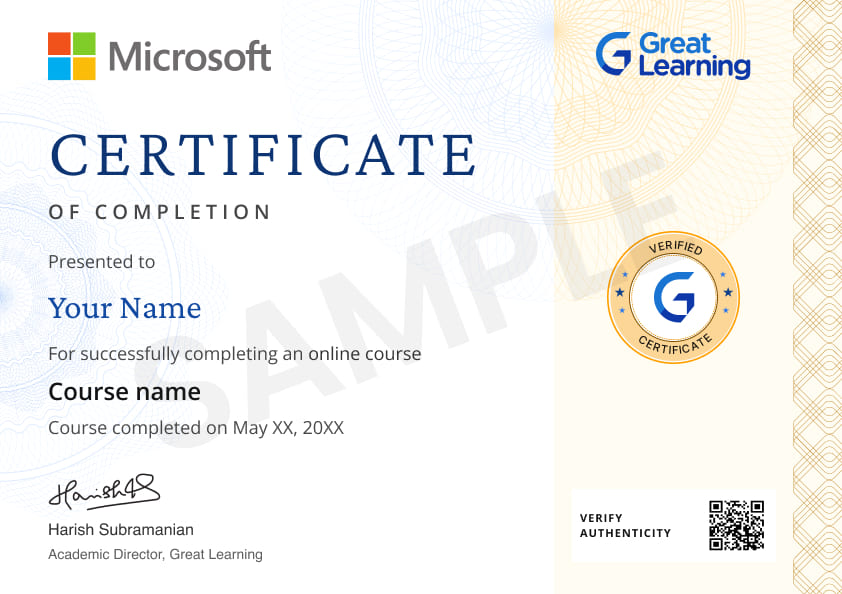
Certificate from Microsoft
AI Resume Builder
AI mock interviews






 United Kingdom


 India
India

 Qatar
Qatar

 Indonesia



 United Arab Emirates

 Nigeria
 India
India
What our learners enjoyed the most
Skill & tools
67% of learners found all the desired skills & tools
Our course instructor

Mr. Anirudh Rao
IT & Software Expert


Frequently Asked Questions
Will I receive a certificate upon completing this free course?
Is this course free?
What are the prerequisites required to learn this PowerPoint for beginners course?
There is no prior knowledge required to enroll in this free PowerPoint course.
How long does it take to complete this free PowerPoint course?
This course contains 2 hours of self-paced learning video content.
Will I have lifetime access to the free course?
You can revisit this PowerPoint basics tutorial for free whenever the need arises.
Is it worth learning a PowerPoint course?
PowerPoint courses can benefit those who wish to improve their presentation skills or learn how to use the software more effectively. It is a trendy presentation software used by many businesses and organizations. The course can provide users with the ability to create more professional and polished presentations and hone their skills in using the software for maximum effect.
Why is PowerPoint so popular?
PowerPoint is popular because it is a versatile tool that can be used for various purposes. For example, it can be used to create presentations, display information visually appealingly, or create interactive games.
What jobs demand that you learn PowerPoint?
The jobs that demand you learn PowerPoint typically require you to give presentations or lead training sessions. It is used in several jobs, including sales, marketing, teaching, and training.
Will I get a certificate after completing this PowerPoint free online course?
Yes, you will be awarded a free PowerPoint certificate after completing all the modules, and a quiz suggested at the end of the course.
What knowledge and skills will I gain upon completing this PowerPoint for beginners course?
You will learn about various beneficial PowerPoint features like Slide Master and SmartArt. You will learn to create animations, extract data from Excel to PowerPoint, and about charts along with live charts.
How much does this PowerPoint for Beginners course cost?
This is a free course offered by Great Learning Academy where any learner can register without paying any cost.
Is there a limit on how many times I can take this PowerPoint course?
No, there is no specific limit on visiting this course to brush up on your PowerPoint skills.
Can I sign up for multiple courses from Great Learning Academy at the same time?
Yes, you can sign up for multiple free courses by Great Learning Academy that support your career path.
Why choose Great Learning for this PowerPoint free online course?
Great Learning Academy is an initiative to provide learners with free courses on various industry-required skills. This PowerPoint course is to benefit learners by familiarizing them with its useful features to create better presentations.
Who is eligible to take this PowerPoint online free course?
Any learner can enroll in this course to gain tips on creating better PowerPoint presentations.
What are the steps to enroll in this course?
- Search for the free "PowerPoint" course through Great Learning Academy's search bar.
- Register in the free course through enroll button and start learning.
Become a Skilled Professional with Pro Courses
Gain work-ready skills with guided projects, top faculty and AI tools, all at an affordable price.






.jpg)



.png)
.png)
.png)


.png)
.jpg)

.jpg)
.png)
.jpg)
.jpeg)






.png)
.png)
.png)
.png)
.png)
.jpg)
.jpg)
.png)


.png)
.png)



 (1).png)

.jpg)

.png)
.png)
.png)
.png)

.png)

 (1).jpg)
.png)
.png)
.png)
.png)

.png)
.png)

.png)








Recommended Free Powerpoint courses
 FREE
FREE
 FREE
FREE
 FREE
FREE

Similar courses you might like
FREE
 FREE
FREE
 FREE
FREE
 FREE
FREE

Related IT & Software Courses

-

12 weeks · Online
Know More
-
MIT Professional Education
Applied AI and Data Science Program14 Weeks · Live Online · Weekdays & Weekend
Know More
-
Deakin University
Master of Data Science (Global) Program24 Months · Online
Top 1% UniversityKnow More






Relevant Career Paths >

Other IT & Software tutorials for you
PowerPoint for Beginners
PowerPoint is a popular presentation software developed by Microsoft Corporation. It is widely used for creating visual aids, including slideshows and presentations, for educational, business, and personal purposes. PowerPoint offers a user-friendly interface and a wide range of tools and features that allow users to create visually appealing and engaging presentations quickly and easily.
PowerPoint presentations are typically created by combining text, images, and other multimedia elements on individual slides. Users can choose from a variety of pre-designed templates, themes, and color schemes to create their presentations, or they can design their own custom layouts. The software offers a range of formatting tools that allow users to change font styles, sizes, and colors, as well as add animations, transitions, and multimedia elements to their presentations.
One of the key features of PowerPoint is its ability to incorporate multimedia elements into presentations. Users can easily insert images, videos, audio files, and other multimedia elements into their slides, making presentations more engaging and interactive. The software also offers a range of animation and transition effects that can be used to add visual interest and emphasize important points in a presentation.
PowerPoint also allows users to collaborate on presentations in real-time. Multiple users can work on the same presentation simultaneously, making it easier for teams to collaborate and share ideas. The software also offers a range of sharing options, including the ability to share presentations online or to save them as PDFs for easy distribution.
In addition to its use in education and business, PowerPoint has become popular for personal use as well. Users can create presentations for special occasions, such as weddings or birthdays, or share their travel experiences or hobbies with friends and family.
While PowerPoint is a powerful tool for creating presentations, it is important to use it effectively to avoid overwhelming or boring audiences. Good PowerPoint presentations should be clear, concise, and visually appealing, with a balance of text and multimedia elements. Presenters should also be prepared to engage with their audiences and answer questions during and after the presentation.
In recent years, there has been some criticism of PowerPoint, with some arguing that it promotes a style of presenting that is overly reliant on visuals and lacks substance. Others have argued that PowerPoint presentations can be overly complex and difficult to follow, particularly for audiences who are unfamiliar with the subject matter.
Despite these criticisms, PowerPoint remains a widely used tool for creating presentations. Its user-friendly interface, wide range of tools and features, and ability to incorporate multimedia elements make it a popular choice for individuals and organizations alike.
In conclusion, PowerPoint is a versatile and powerful tool for creating presentations for educational, business, and personal purposes. Its ability to incorporate multimedia elements and facilitate real-time collaboration makes it an essential tool for many individuals and organizations. However, it is important to use it effectively and thoughtfully to ensure that presentations are engaging, informative, and easy to follow.