Python Program Free Course
Python Basic Programs
 4.44
Beginner level
2.25 learning hrs
4.44
Beginner level
2.25 learning hrs
Master Python with our comprehensive course on Python Basic Programs. Learn essential programming concepts and practical skills through hands-on exercises. Join now to start your journey to Python proficiency!




About this course
Have you ever wanted to create captivating videos that tell your story and grab attention? This free video editing course is your ticket to making that happen! Whether you're a complete beginner or just want to level up your skills, this course gives you the know-how and hands-on practice to edit like a pro.
What you'll master in this free course:
- Video Making Fundamentals: Grasp the core concepts of video editing, from storyboarding and planning to pacing and transitions.
- Editing Techniques: Learn the tricks of the trade, including cutting, trimming, adding effects, and color correction.
- Software Savvy: Get comfortable using industry-standard software like Adobe Premiere Pro through guided tutorials and practical exercises.
- Pro Tips and Secrets: Unlock insider knowledge and hidden shortcuts to elevate your editing skills.
- Fine-Tuning Your Vision: Discover how to polish your videos with professional-grade finishing touches.
Upon completion of the course, you'll receive a certificate to showcase your newfound video editing skills!
While you're here, don't forget to check out our Design Thinking Course for a well-rounded skillset!
Course outline
Factorial
Factorial in Mathematics is a mechanism in which the product of all the whole numbers less than and equal to the given number is calculated. For example: 3! = 6
Fibonacci Series
Fibonacci Series is the series of numbers obtained by adding the previous two numbers. For example: 1 1 2 3 5 8 13
Palindrome
A palindrome is a sequence of numbers or characters similar to its reverse. The number/character is similar when read from the front and the end. For example: 12321, 34543
Swapping of two numbers
The value of two variables can be swapped or interchanged using a third variable's logic or arithmetic operators.
Reversal of a String
A string is a set of characters. Reversal of a String is a program where each character of a string is reversed. For example: string = hello, reversed string = olleh
Prime Number
The number is divisible by 1, which is called the prime number. A prime number is a program to find if the given number is prime or not.
Armstrong Number
The Armstrong number is a number that is equal to the sum of cubes of its digits. Armstrong number program checks if the given number is an Armstrong number or not. For example: 153
Call by Value and Reference
The call by value is a method of passing arguments to a function that copies the actual value of an argument into the function's formal parameter.
Second largest number in a list
Writing a simple Python code can find the number smaller than the largest number in a given list.
Pattern Programming
Pattern programming is the sequence of numbers/characters/symbols in any defined pattern. Pattern programming is writing codes for creating such patterns. For example: pyramid pattern, inverse pyramid pattern, etc.
Pascal Triangle
The Pascal triangle is a triangular arrangement of numbers that gives the coefficients in the expansion of any binomial expression, such as (x + y)n.
Matrix multiplication
Matrix multiplication is the product of two matrices, and a matrix is a two-dimensional representation of numbers that consists of rows and columns.
Get access to the complete curriculum once you enroll in the course
 4.44
4.44
Level up with advanced skills & become job ready with Pro+
Subscribe to Pro+ today to build skills with 50+ Pro courses and prep for jobs with advanced AI tools.
 PRO
PRO
Master Python programming

Practice exercises
Guided Projects
AI Resume Builder
AI mock interviews






 India
India
 India
India
 India
India
What our learners enjoyed the most
Skill & tools
61% of learners found all the desired skills & tools
Frequently Asked Questions
Will I receive a certificate upon completing this free course?
Is this course free?
What are basic programs in Python?
-
Python program to print "Hello Python":
|
-
Python program to find the area of a triangle
-
Python program to do arithmetical operations such as Addition, Subtraction, Multiplication, Division
-
Python Program to Find the Factorial of a Number
-
Python program to swap two variables
-
Python program to generate a random number
-
Python program to convert kilometers to miles
-
Python Program to Display the multiplication Table
-
Python Program to Print the Fibonacci sequence
-
Python Program to Check Armstrong Number
-
Python Program to Find Armstrong Number in an Interval
-
Python Program to Find the Sum of Natural Numbers
How to write a simple program in Python?
Follow these steps to make your Hello World! program, or any other simple Python program:
1. Select Python from the Start menu (command line).
You should see something like >>> as a prompt.
You're now working with the Python interpreter in interactive mode. That's when the >>> enters the picture. Python notifies you when you need to type something.
2. Type the following at the popup.
'Hello, World!' print('Hello, World!')
3. Press the Enter key on your keyboard.
Python executes the code that you entered.
The output is given in the diagram below.

What is the easiest way to learn Python?
Python is regarded as one of the most straightforward programming languages to learn. While anyone can learn Python programming, even if they've never written a line of code before, you can anticipate it to take time and be frustrating at times. The simplest method to learn Python is to go deep into its fundamentals, choose a single resource to study, choose and install an IDE, and work on your own coding projects.
How long will it take to learn this course?
In general, learning the fundamentals of Python takes two to six months. However, in just a few minutes, you can learn enough to write your first short program.
Will I get a certificate after completing this Python Programs free course?
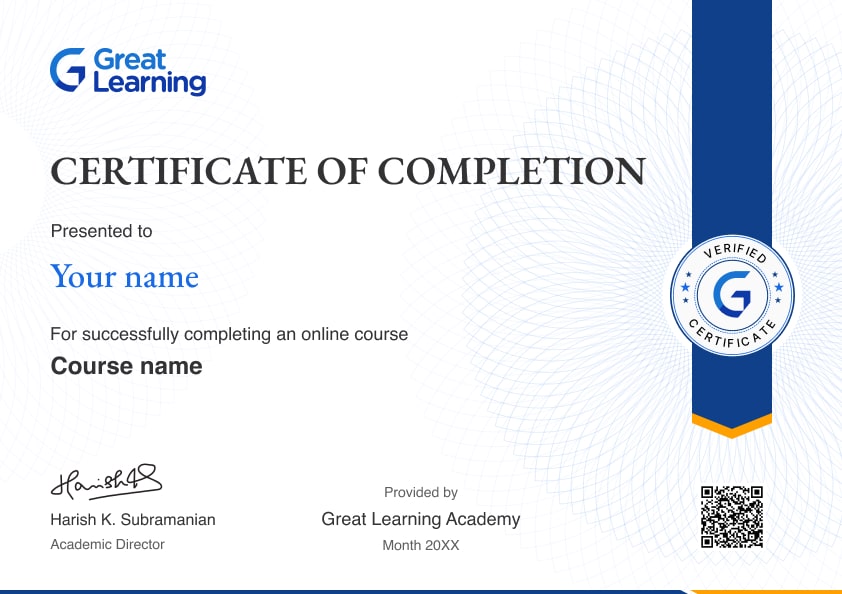
Yes, you will get a certificate of completion for Python Programs after completing all the modules and cracking the assessment. The assessment tests your knowledge of the subject and badges your skills.
How much does this Python Programs course cost?
It is an entirely free course from Great Learning Academy. Anyone interested in learning the basics of Python Programs can get started with this course.
Is there any limit on how many times I can take this free course?
Once you enroll in the Python Programs course, you have lifetime access to it. So, you can log in anytime and learn it for free online.
Can I sign up for multiple courses from Great Learning Academy at the same time?
Yes, you can enroll in as many courses as you want from Great Learning Academy. There is no limit to the number of courses you can enroll in at once, but since the courses offered by Great Learning Academy are free, we suggest you learn one by one to get the best out of the subject.
Why choose Great Learning Academy for this free Python Programs course?
Great Learning Academy provides this Python Programs course for free online. The course is self-paced and helps you understand various topics that fall under the subject with solved problems and demonstrated examples. The course is carefully designed, keeping in mind to cater to both beginners and professionals, and is delivered by subject experts.
Great Learning is a global ed-tech platform dedicated to developing competent professionals. Great Learning Academy is an initiative by Great Learning that offers in-demand free online courses to help people advance in their jobs. More than 5 million learners from 140 countries have benefited from Great Learning Academy's free online courses with certificates. It is a one-stop place for all of a learner's goals.
What are the steps to enroll in this Python Programs course?
Enrolling in any of the Great Learning Academy’s courses is just one step process. Sign-up for the course, you are interested in learning through your E-mail ID and start learning them for free online.
Will I have lifetime access to this free Python Programs course?
Yes, once you enroll in the course, you will have lifetime access, where you can log in and learn whenever you want to.
Become a Skilled Professional with Pro Courses
Gain work-ready skills with guided projects, top faculty and AI tools, all at an affordable price.





.jpg)




 (1).png)




.jpg)

.jpg)
 (1).jpg)
.png)
.jpg)
.jpeg)
.png)
.png)
.png)
.png)
.png)
.jpg)
.jpg)
.png)
.png)


.png)
.png)
.png)

.jpg)
.png)
.png)

.png)

.png)

.png)
.png)
.png)
.png)
.png)






Recommended Free Python courses
 FREE
FREE
 FREE
FREE
 FREE
FREE
.jpg) FREE
FREE

Similar courses you might like
FREE
 FREE
FREE
 FREE
FREE
.jpg) FREE
FREE